Housekeeping
A house turns dirty when the guests leave and made up once it is cleaned. Cleaners get their own key that opens only the cleaning board, and the morning list arrives by email with no guest names.
SNDR BÓKUN
Guests send a request on your website. You see availability, price and details in one place and confirm on your phone. SNDR takes 0% of bookings; you pay a fixed monthly fee.
19.900 kr a month ex VAT. Included in the Everything plan.
Guests send a booking request on your domain. You confirm it and handle the conversation yourself.
The request, guest details and response in one place.
19.900 kr a month ex VAT, whatever your bookings are worth.
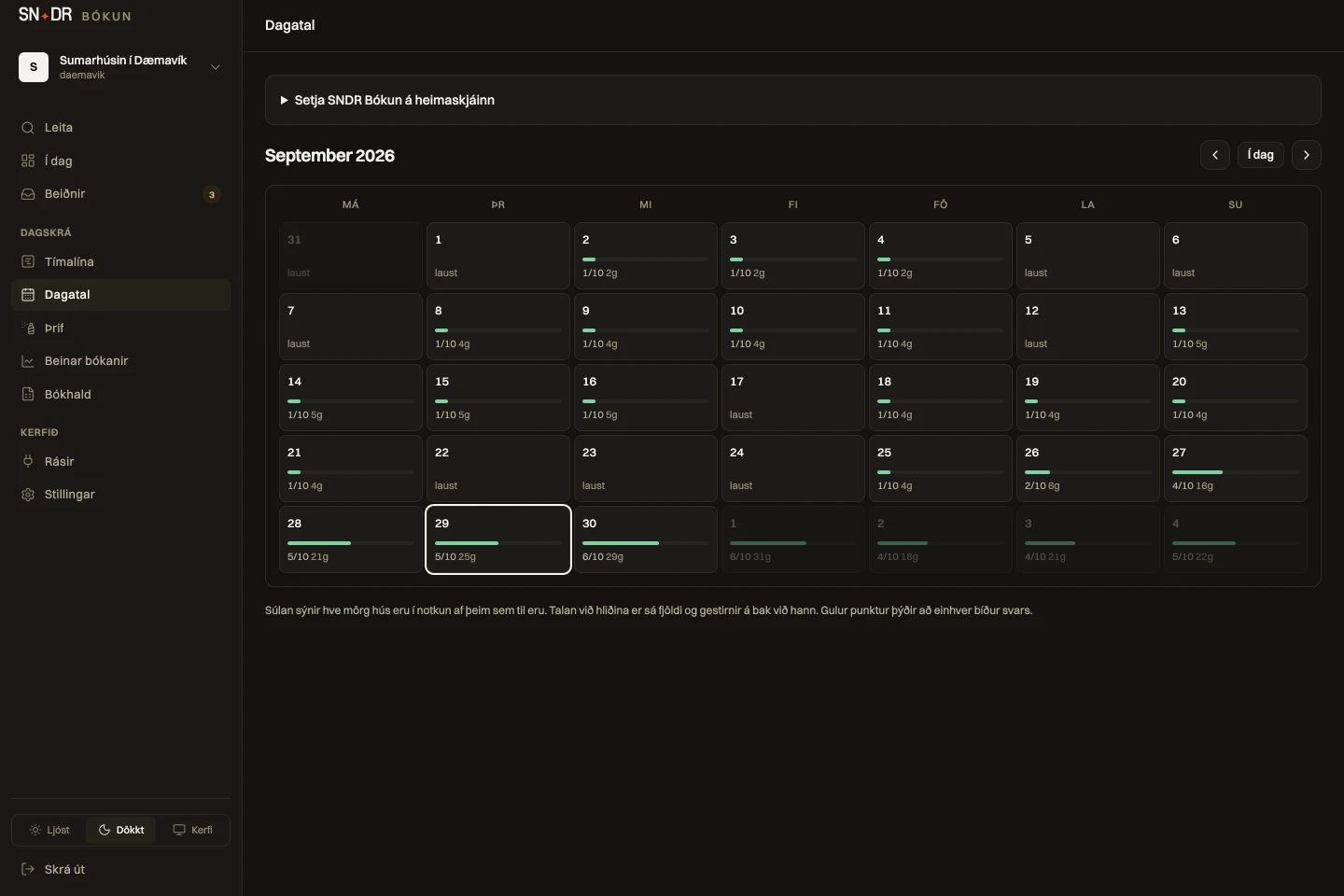
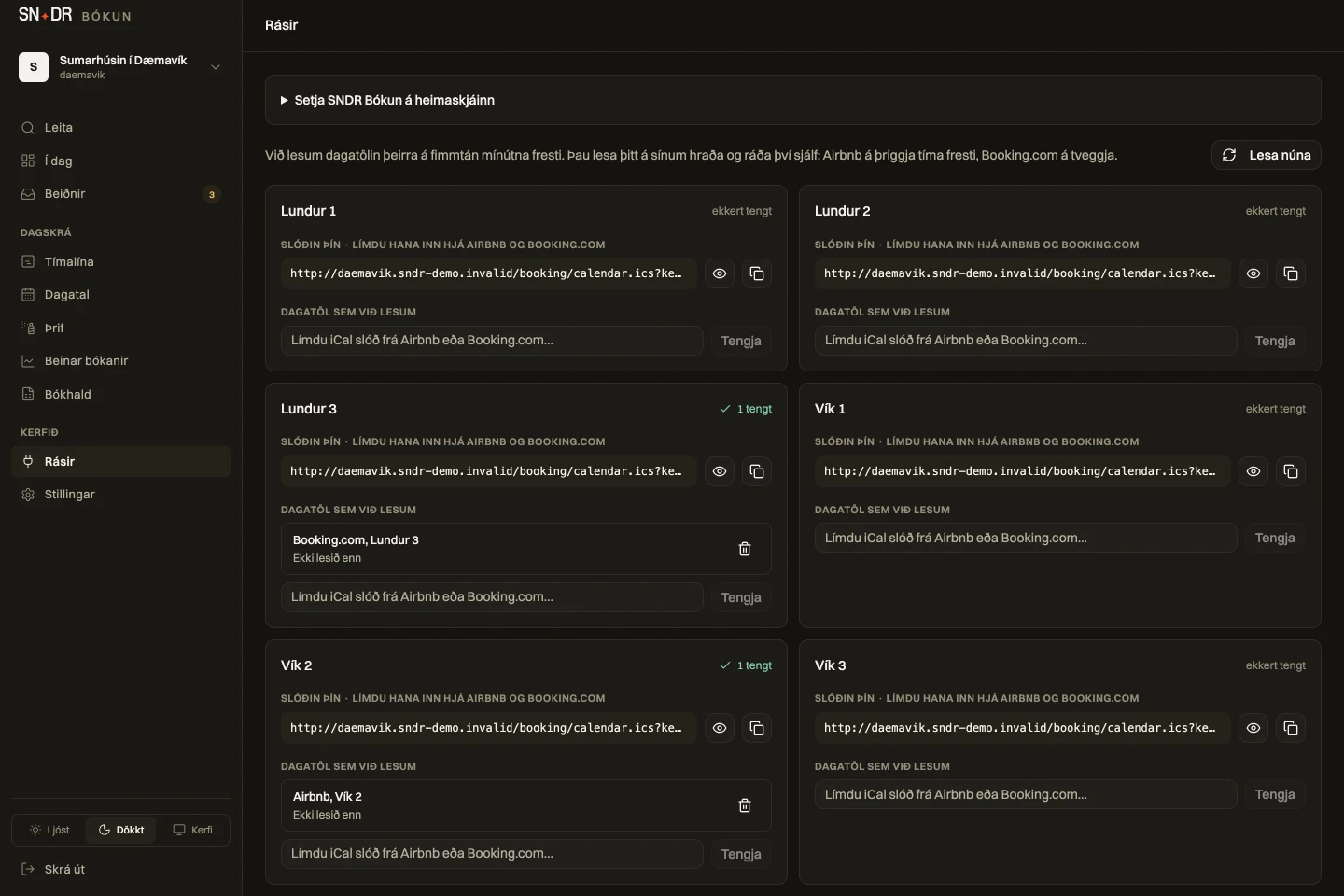
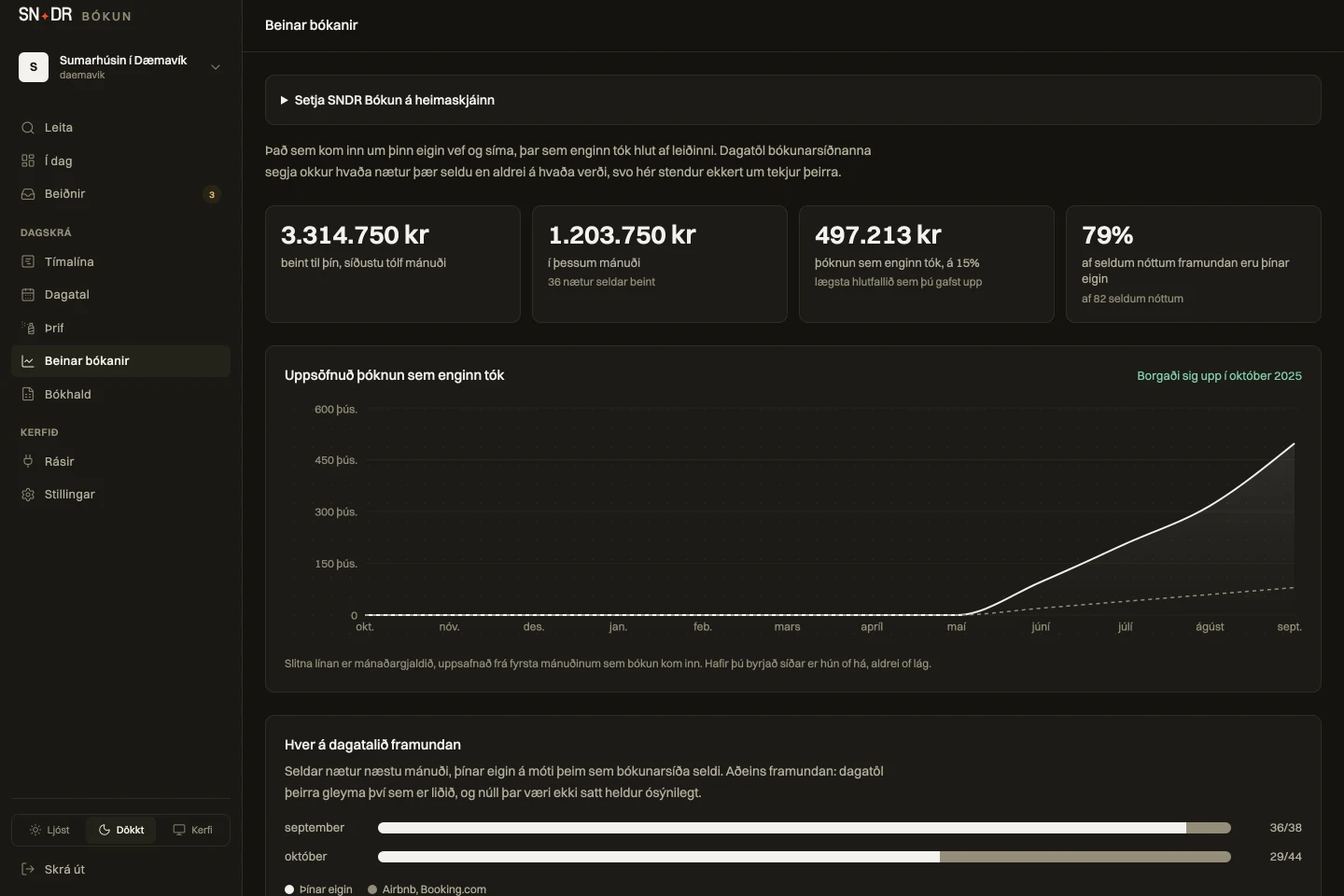
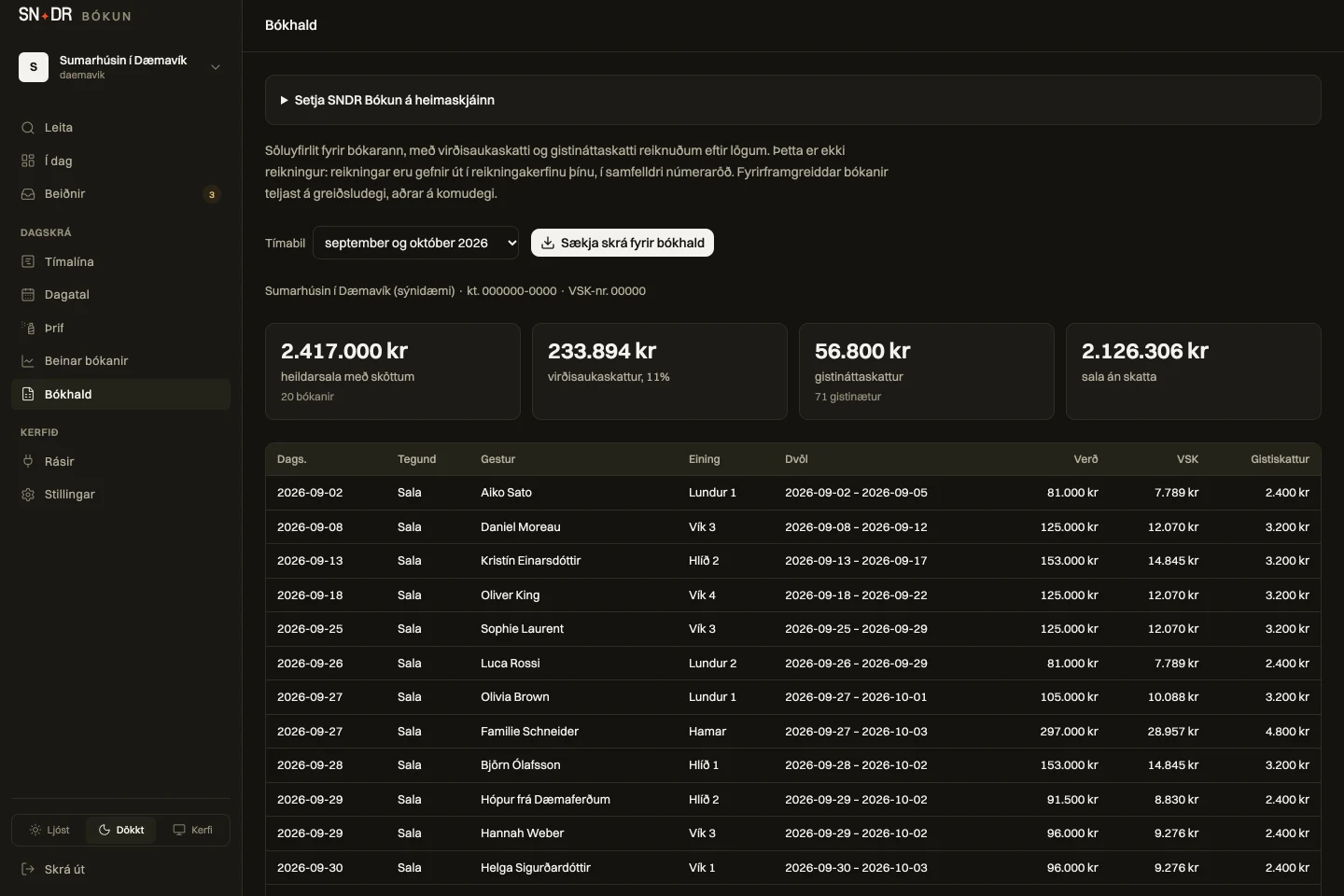
Choose a screen to see how you manage bookings. The dashboard works on phones, tablets and computers.
NEW IN SNDR BÓKUN
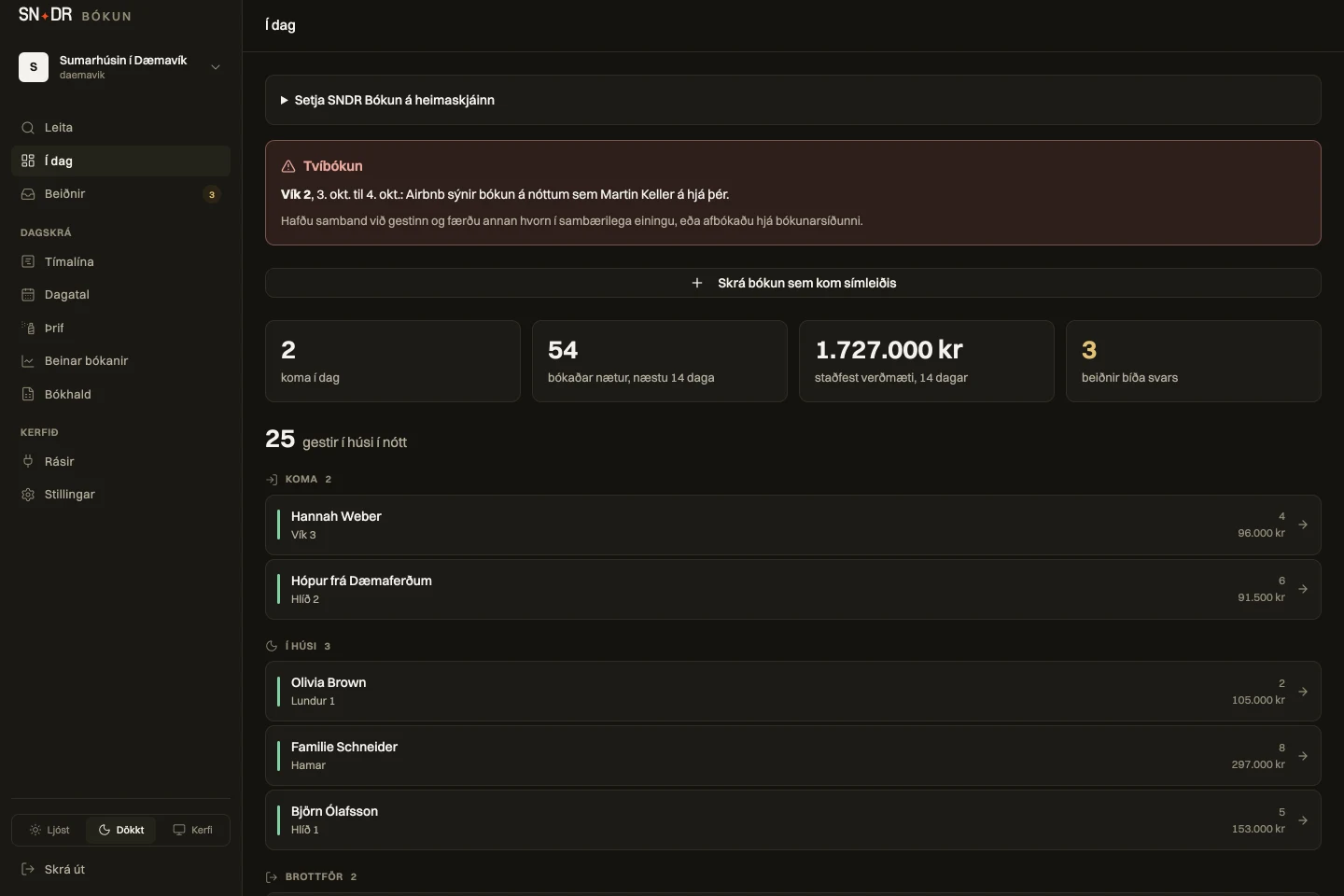
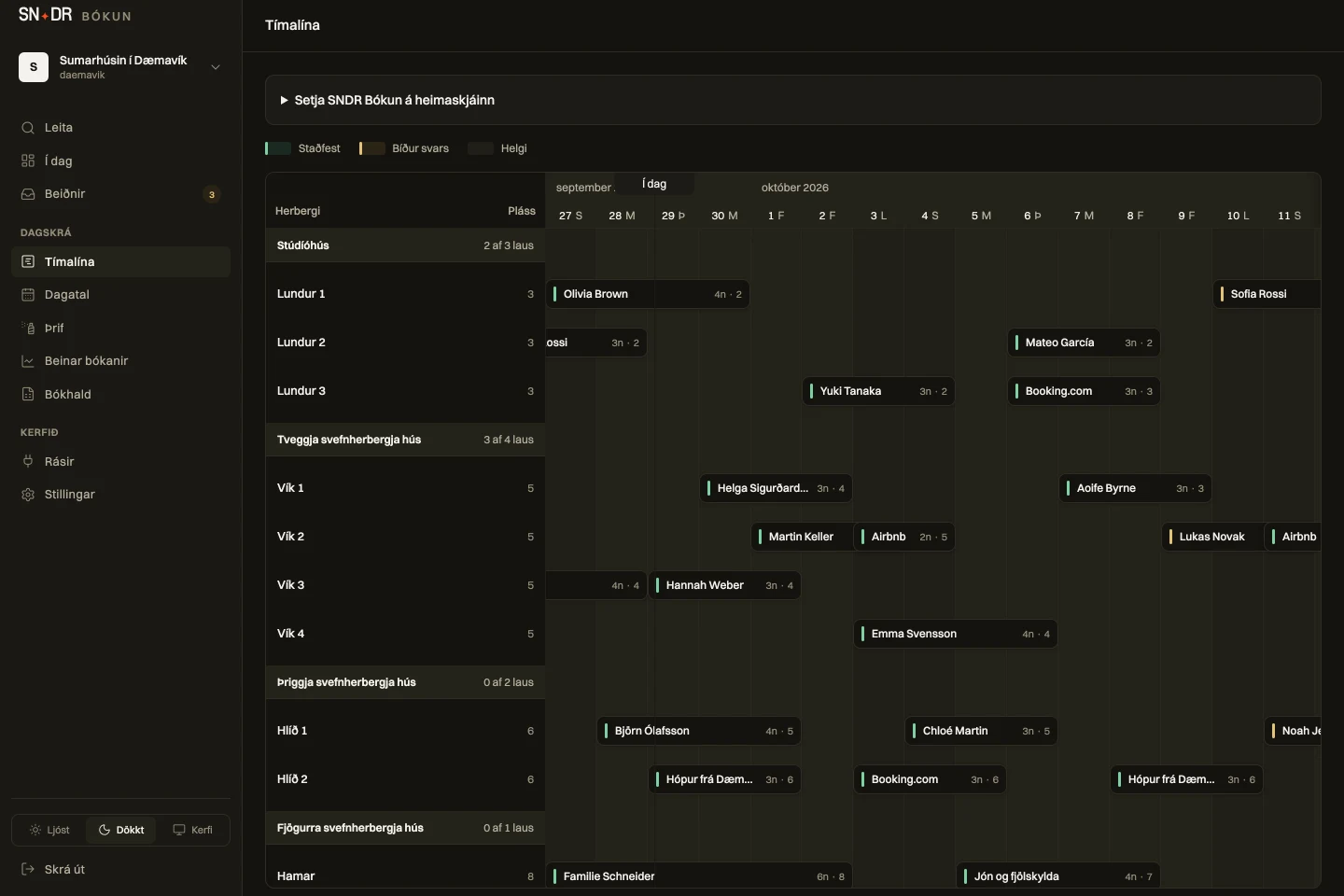
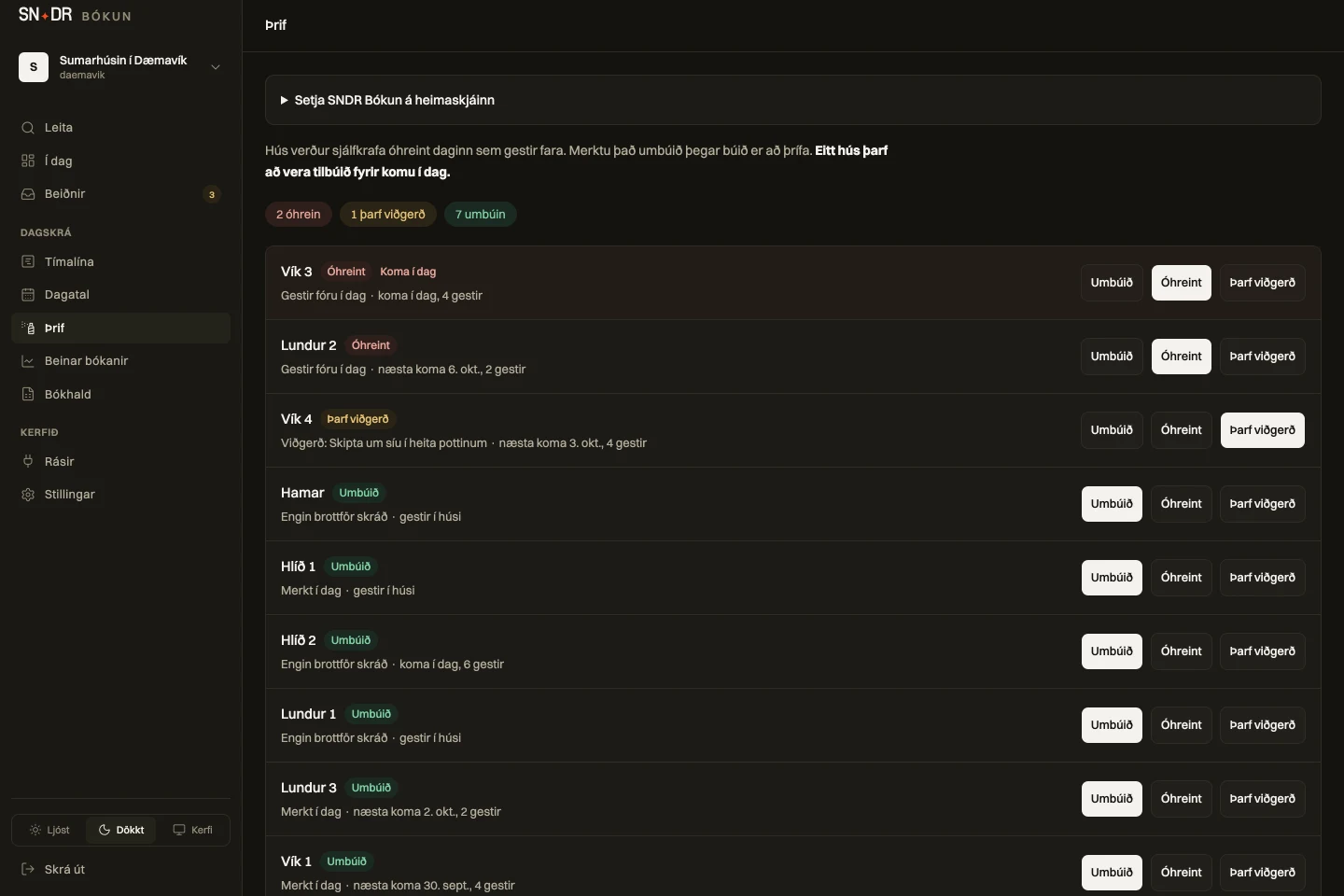
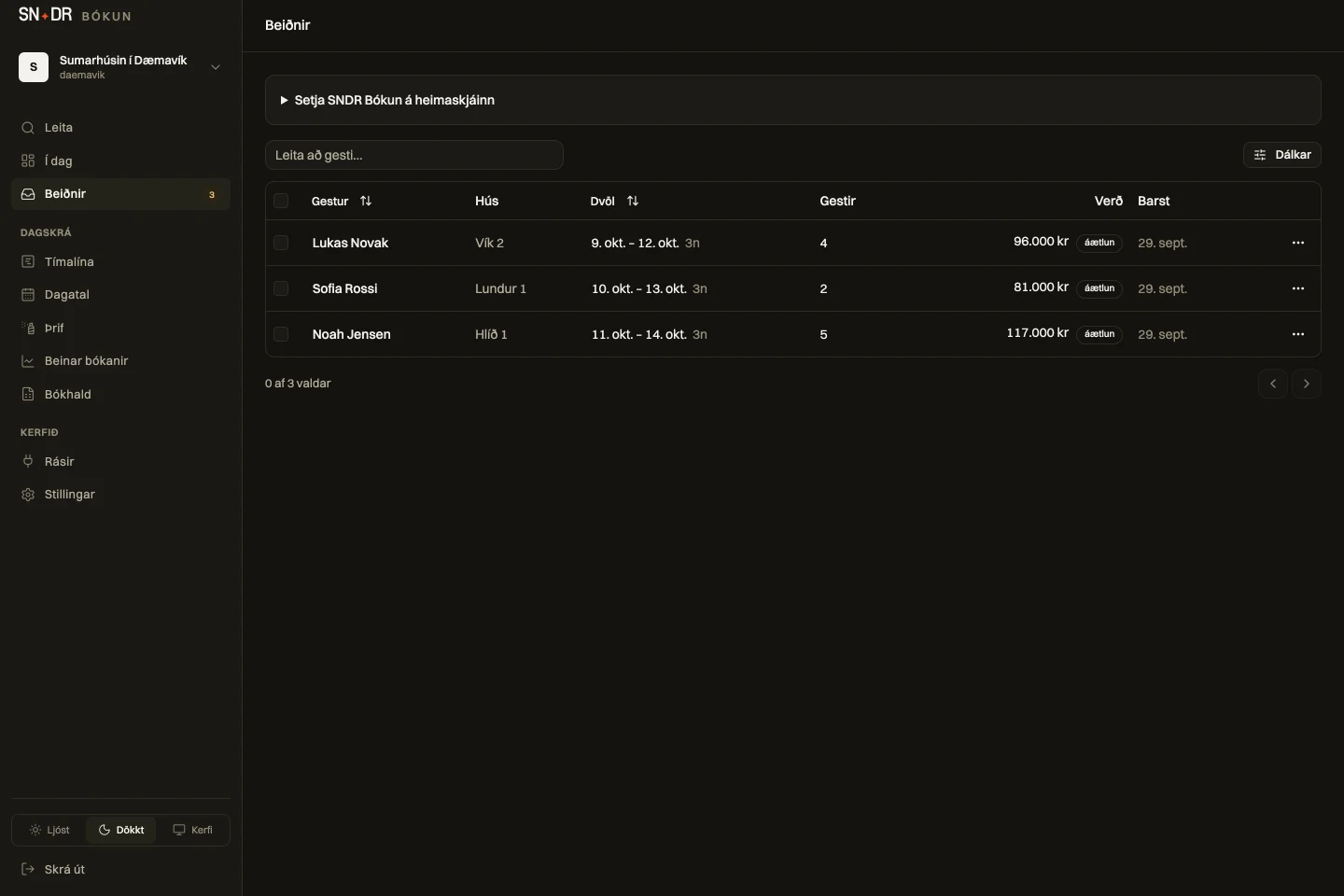
For you if you run several houses and need a clear overview every day. The screenshots show the features in the system.
A house turns dirty when the guests leave and made up once it is cleaned. Cleaners get their own key that opens only the cleaning board, and the morning list arrives by email with no guest names.
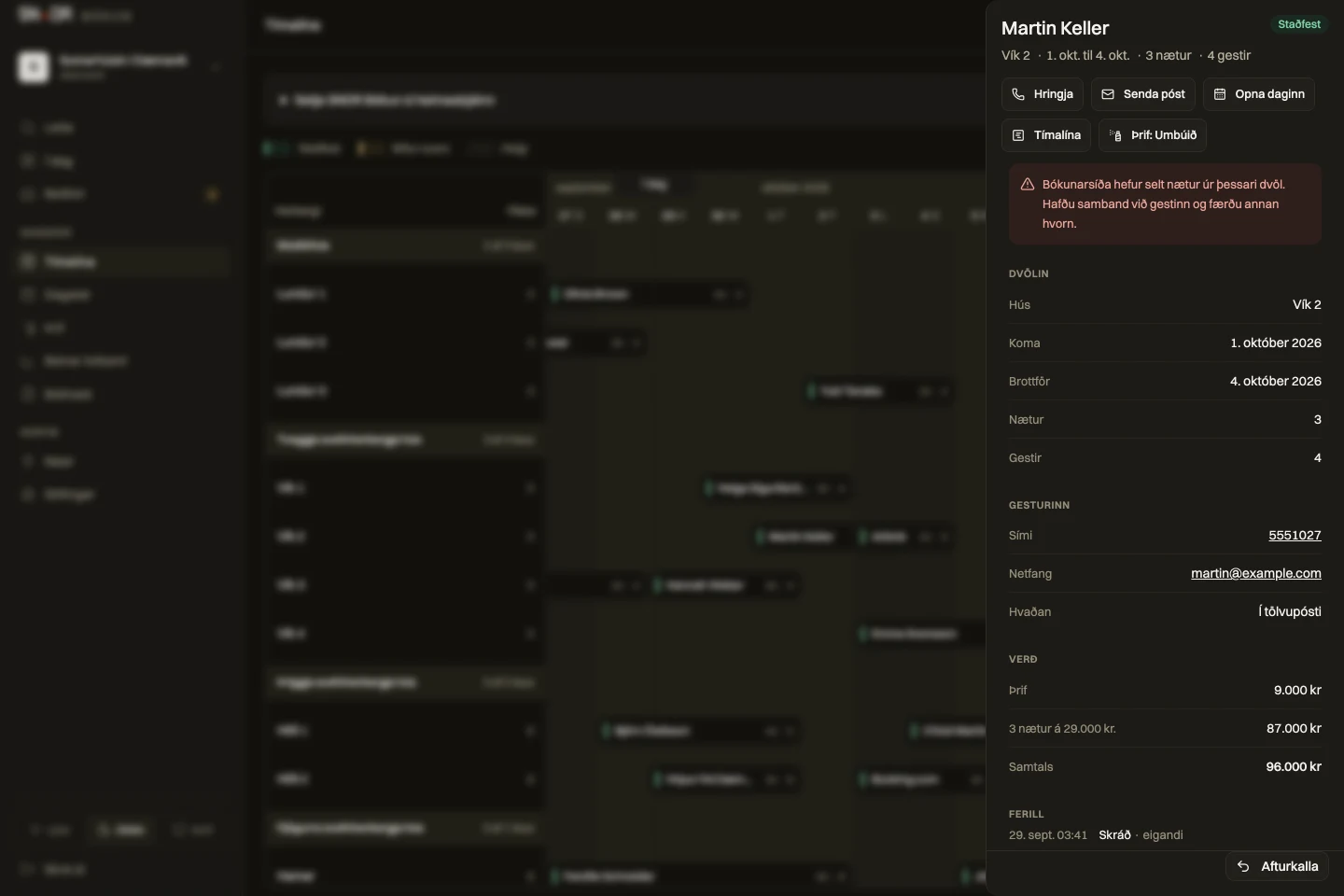
If a booking from Airbnb or Booking.com overlaps another booking you have, a warning shows at the top of Today and you get an email. Calendars are read regularly, so a clash does not always show the moment it is booked.
Houses of the same type are grouped. The guest books a type and the system assigns the first free house. The timeline shows how many of each type are free.
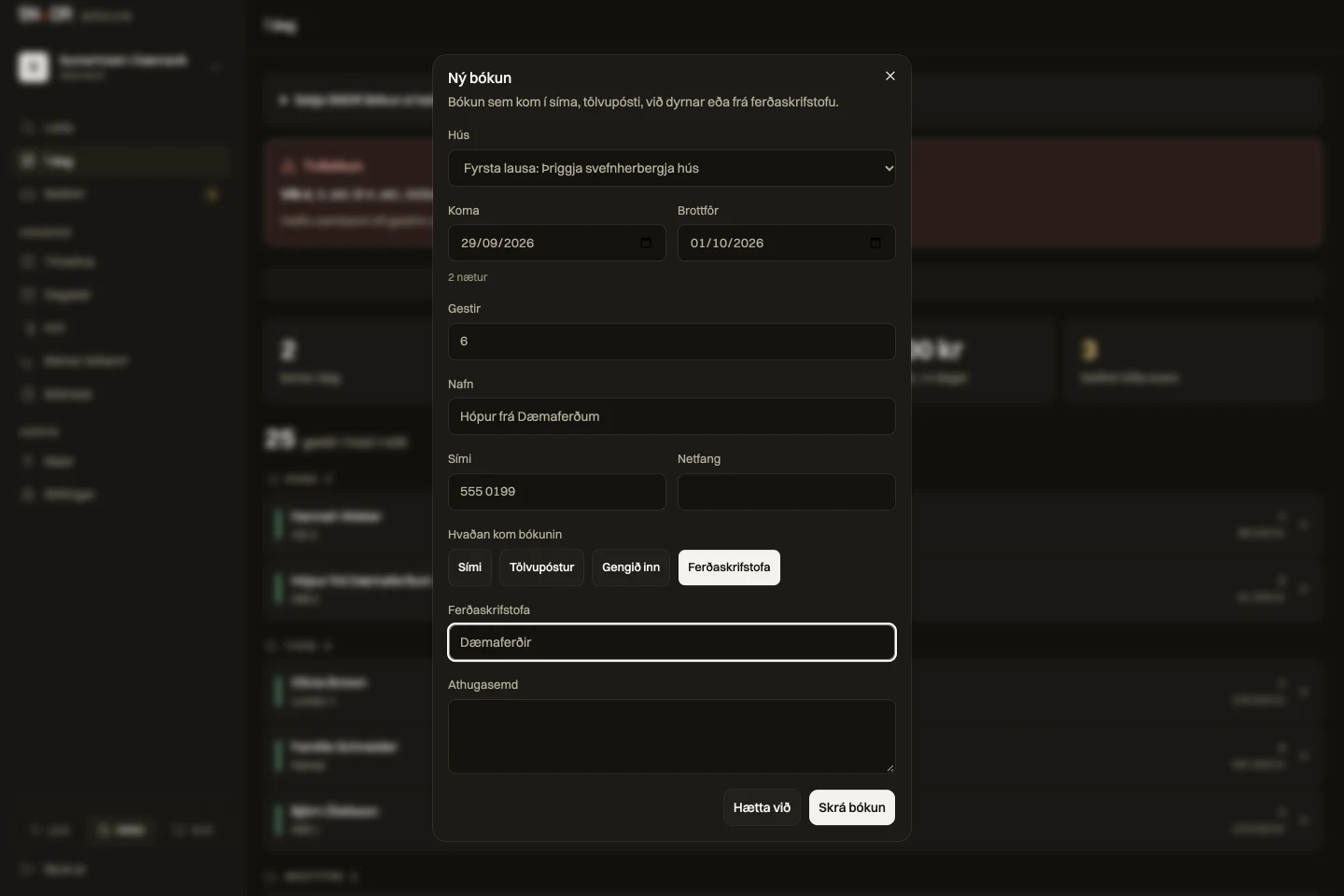
Enter a booking for a travel agency with its name and wholesale price. It is kept out of your direct bookings and the guest gets no email from the system.
A file for the period with VAT and accommodation tax shown separately, ready for your bookkeeper. It is a summary; invoices are still issued in your invoicing system.
A phone booking, an email or a group: enter it on a house or a type. The system tells you at once if the house is taken or the group is too large.
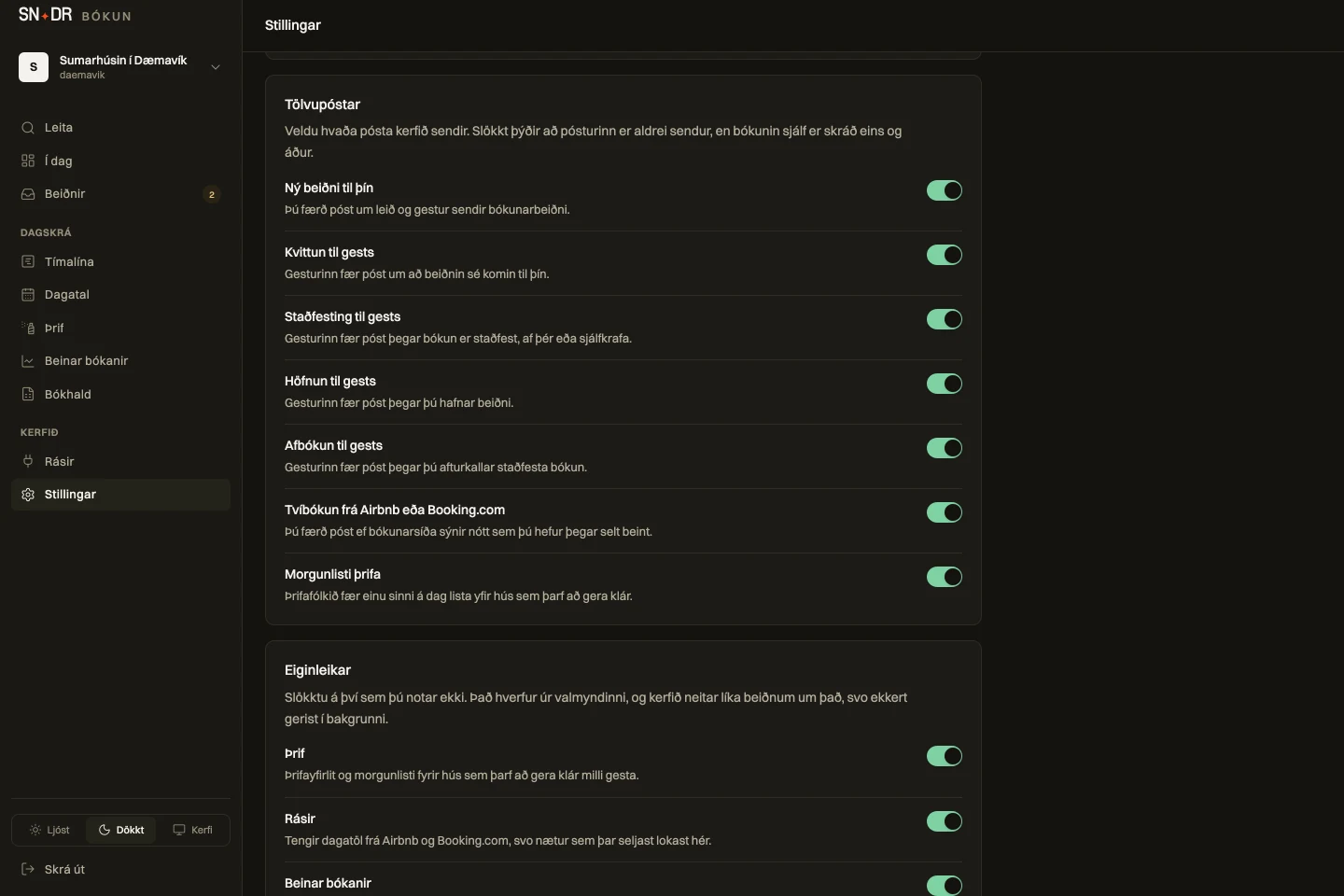
Some places need no cleaning email and others no bookkeeping file. Every email and every feature has its own switch, and you turn off what you do not use. You also change who gets each email, when the morning list goes out and the bookkeeping details there.
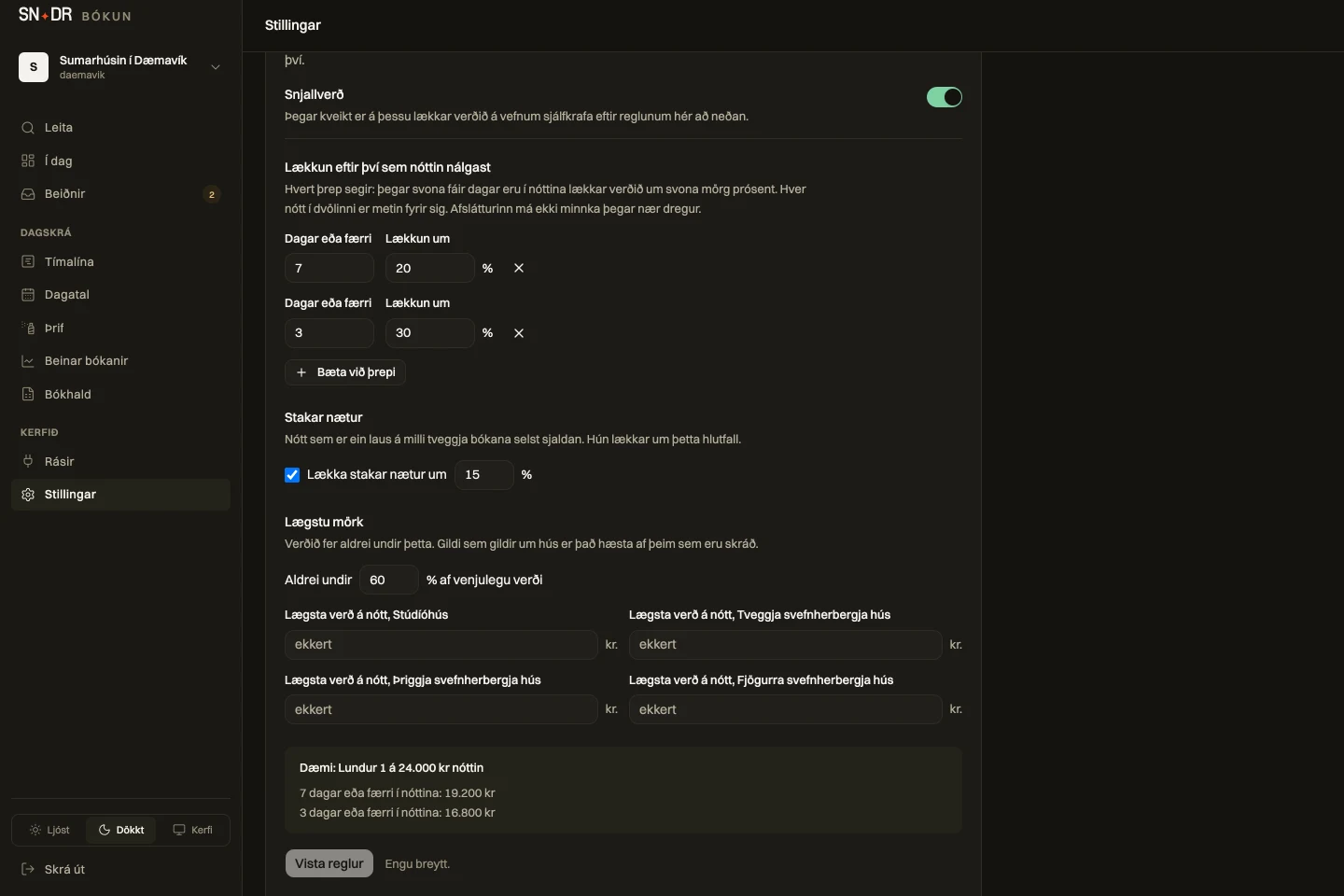
A night nobody has booked gets cheaper by rules you set: a percentage by how close the night is, a discount for a single night between two bookings, and a floor. Smart pricing stays off until you turn it on. It only applies to the price on your own website. Airbnb and Booking.com get no prices from the system, because the calendar connection only carries which nights are sold, so prices there do not change. Bookings entered in the dashboard and travel agency bookings are not discounted.
You change a house’s name, guest count, price, wholesale price and minimum nights without contacting me. Houses with seasonal prices I still change for you.
NEW · BETA
You write to it as you would to a member of staff, in English or Icelandic. It looks things up in the system, works from what it finds and prepares the task. Nothing changes until you confirm with one tap. For accommodation.
Beta: the assistant is being tested and can make mistakes. Read each card before you confirm. Nothing changes without you.
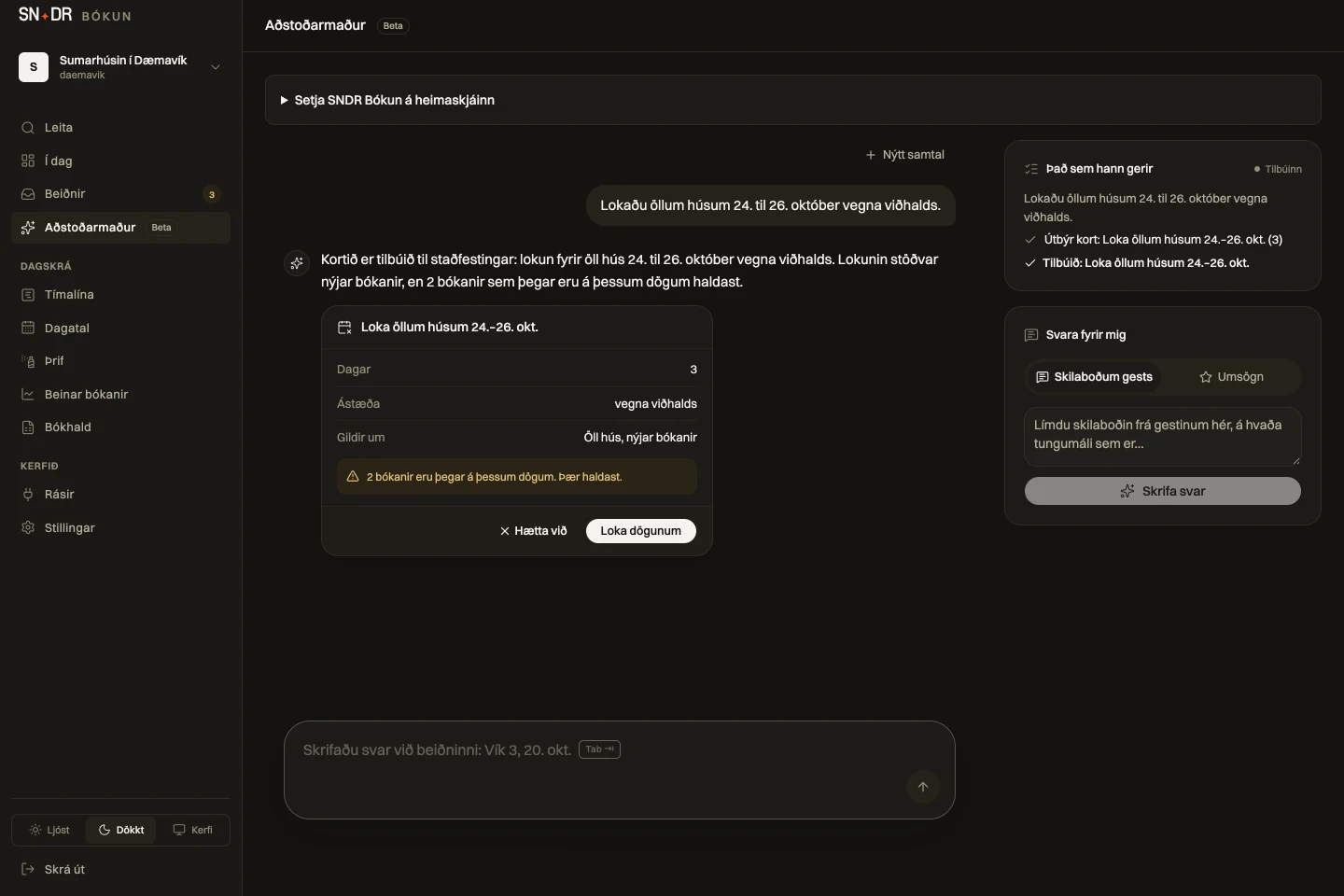
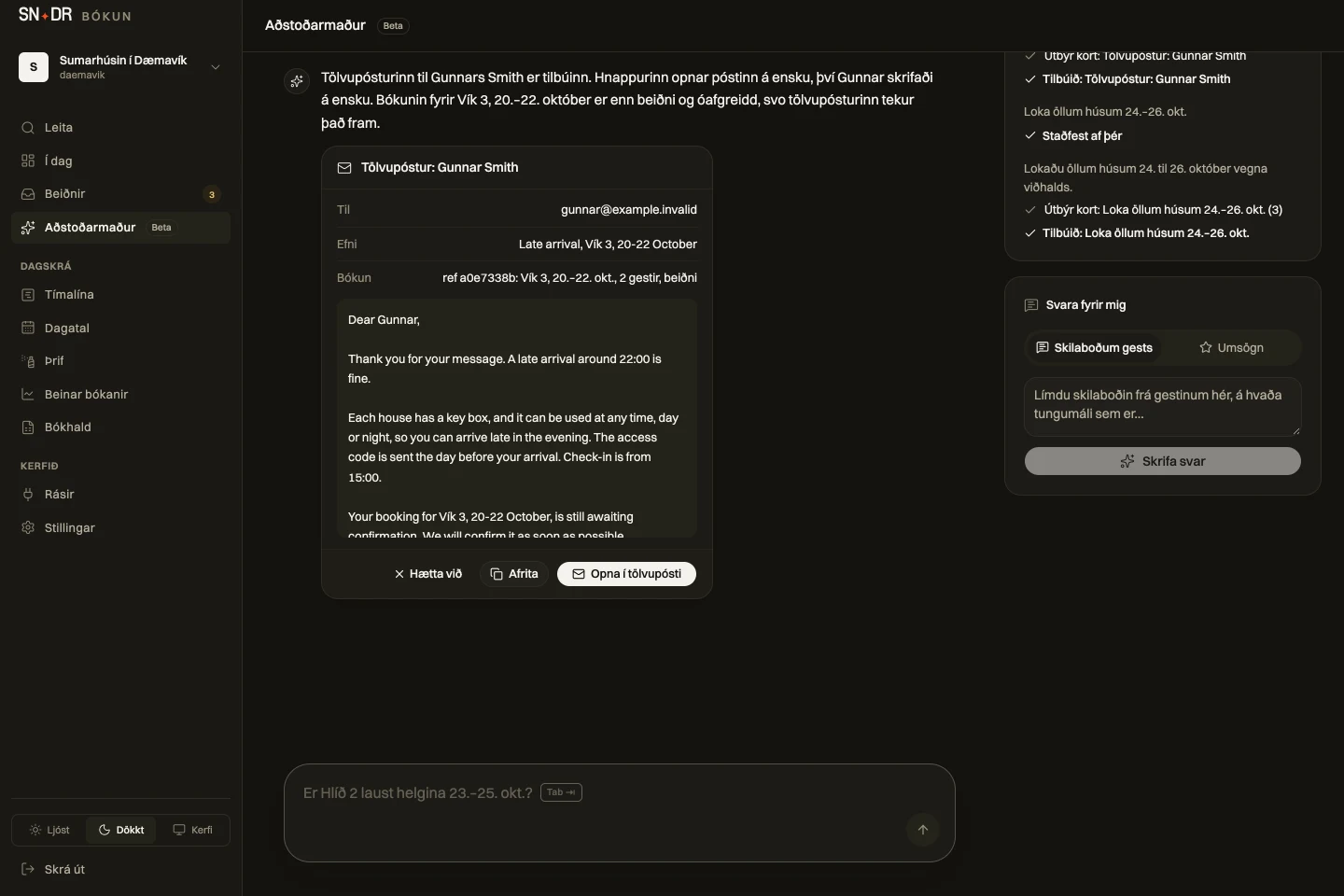
Who arrives, leaves and stays, what is free, what it costs, occupancy for a period, the cleaning list and your settings. Looked up and counted by the system itself.
On the dashboard’s home screen: arrivals, departures, cleaning between guests and requests waiting, written from the day’s figures.
Close and reopen days for the whole business, move a booking, confirm or decline a request, record a phone booking, cancel, and mark a house cleaned. Each task arrives as a card showing exactly what changes.
An email to a guest in their language that opens in your own mail app, and drafts of replies to guest messages and reviews. Nothing is sent from the system.
Points out weeks that are selling slowly. You change the price yourself in Settings.
Guest names go to the AI (Claude by Anthropic) so it can answer. Phone numbers, email addresses and ID numbers never do. You can switch it off in Settings.
On your own domain, matching your website. The system works out the price, shows what is available and accepts no requests for days you have closed.
You see the guest’s name, party size, phone number and message. Confirm or decline the request on your phone and the guest hears back.
You collect payment under your own payment and cancellation terms. The system does not take online card payments, and SNDR adds no transaction fees.
Included in the Everything plan. Also available as a standalone add-on.
SNDR takes 0% of bookings. You collect payments directly; your payment provider’s fees may apply. Website builds or changes are quoted separately.
19.900
kr a month, ex VAT

Add SNDR Bókun to your home screen and open straight into the day’s bookings. Look for the white icon with the SNDR star.
iPhone: Safari → Share → Add to Home Screen.
Android: Chrome → ⋮ → Install app / Add to Home screen.
The dashboard needs internet to check availability and save changes.
Accommodation, tours and services where the customer picks a date or time and you confirm the request. I go through your rooms, availability, prices and terms with you before I set it up.
Requests hold capacity, and availability is checked again when you confirm. You can see what is free and get a clear explanation when a booking cannot be accepted.
Connected iCal calendars are read every fifteen minutes. Booking platforms fetch your calendar on their own schedule. Synchronisation is not instant and bookings can overlap between systems. I go through with you how you confirm bookings before the connection goes live.
You collect payment yourself, at the property or through another arrangement agreed with the guest. SNDR Bókun handles the request and confirmation. You remain in control of collection and terms. SNDR Bókun does not process online card payments.
Add them manually in the dashboard. They then count against availability alongside website bookings.
I first review with you what you use and what is missing. If you need a payment gateway or a full channel manager, I go through with you which systems and connections suit you before you decide.
I show you how a guest sends a booking request and how you confirm it, so you see the process before deciding.
Talk about bookings · +354 845 1758 ↗