open()1/3
You open what you want to change
Down the left is your website as a list: the rooms, the questions, the news, the pictures. You click the one that needs changing. No code, no folders.
vefumsjon/
A new price, a new photo or different opening hours. Edit your own content in clearly labelled fields and publish when you are ready. The design stays consistent. The editor comes with Growth and higher plans, or the Larger site package.
real screenshots, not mockups
cat process.txt
Open, edit, publish. The same steps whether you are correcting a typo or updating a price.
Down the left is your website as a list: the rooms, the questions, the news, the pictures. You click the one that needs changing. No code, no folders.
The fields are named after what they are: name, price, description, photo. Underneath each one it says what it does and where the change will appear.
Your change stays as a draft until you publish. The update then goes live without you having to email the text to me.
ls screenshots/
Gistihúsið Fell is invented and its rooms do not exist. Everything else is real: this is the system that gets installed for you, with your content in place of theirs.
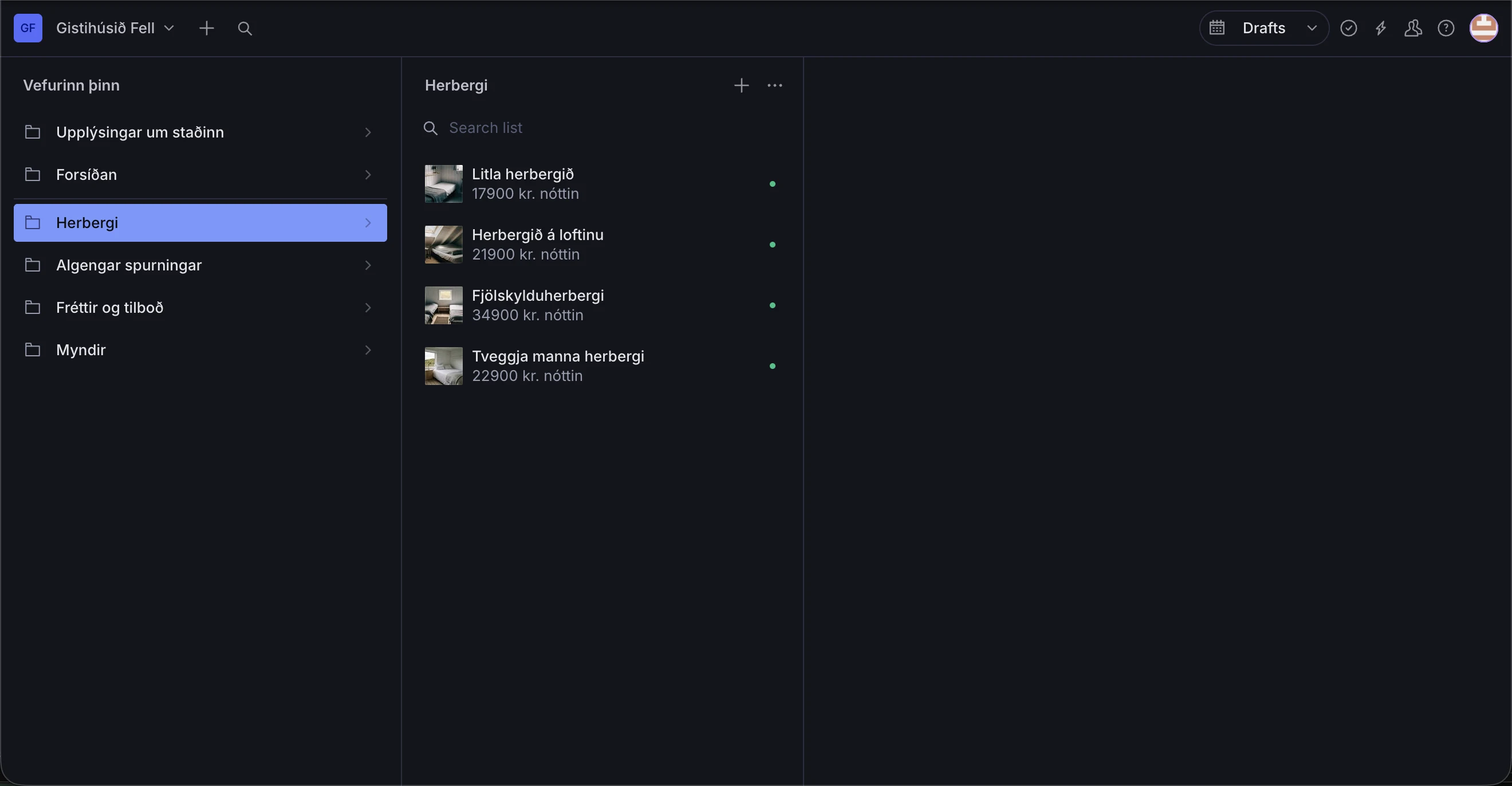
The left column is your website as a table of contents, not a database. It is arranged around your site, so the things that exist once sit at the top and the lists you add to sit below them.
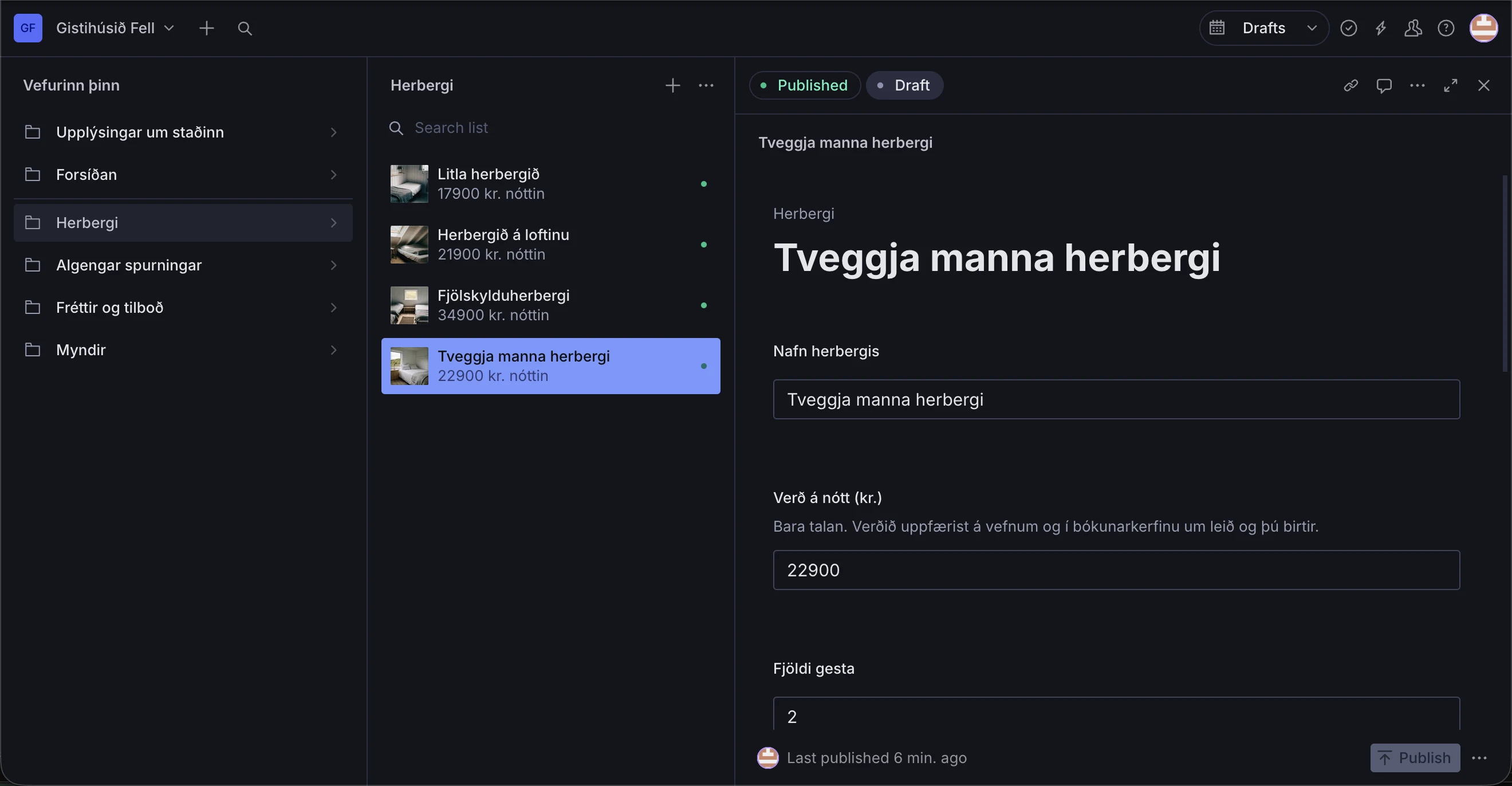
Name, price per night, number of guests. Under the price it says what that figure does: it updates both the website and the booking system, because this is the one document they both read.
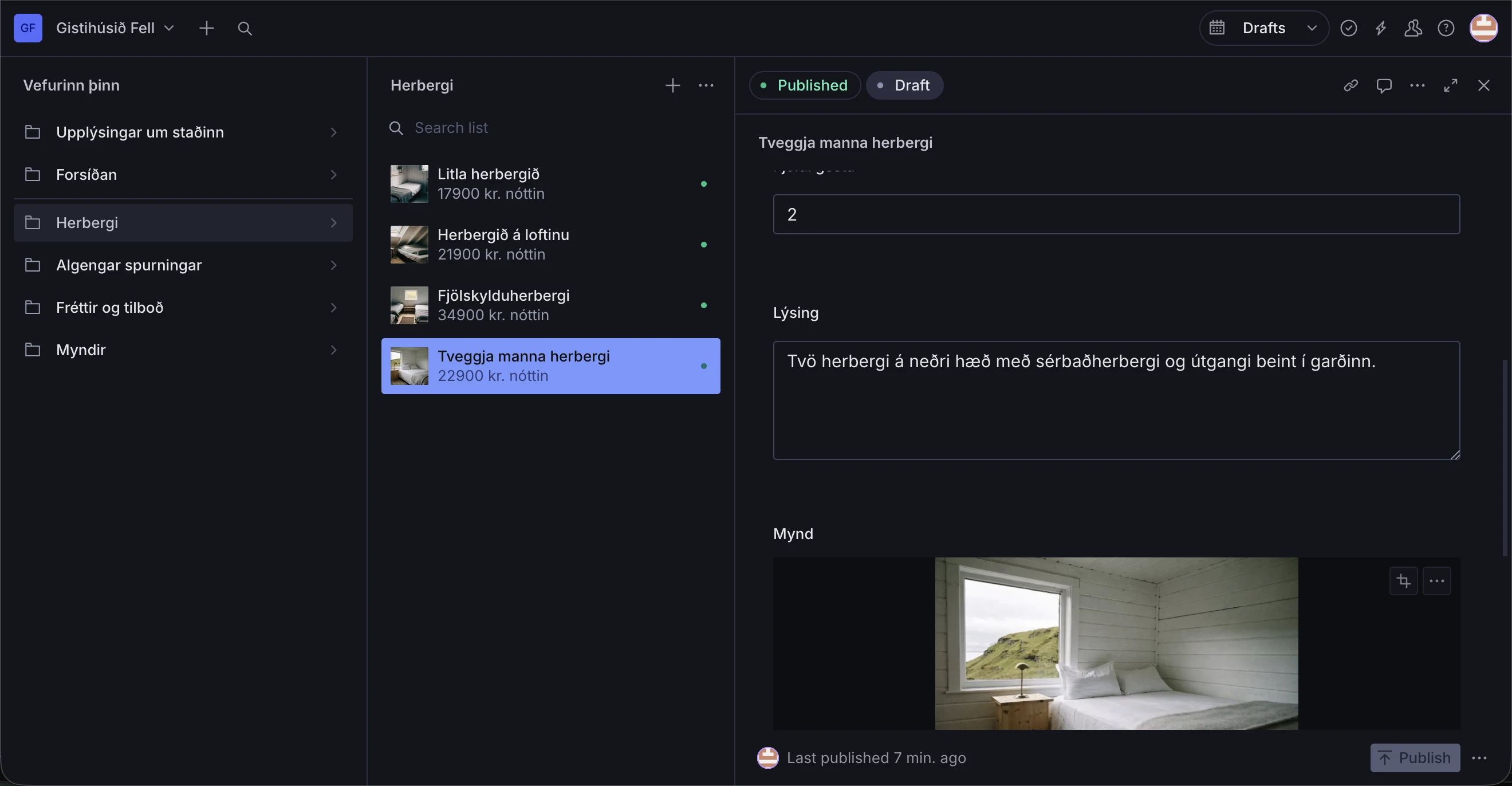
The description is an ordinary text box. A photo goes in by dragging it onto the area. If you want a room off sale for a while you untick it, and it comes off the site without being deleted.
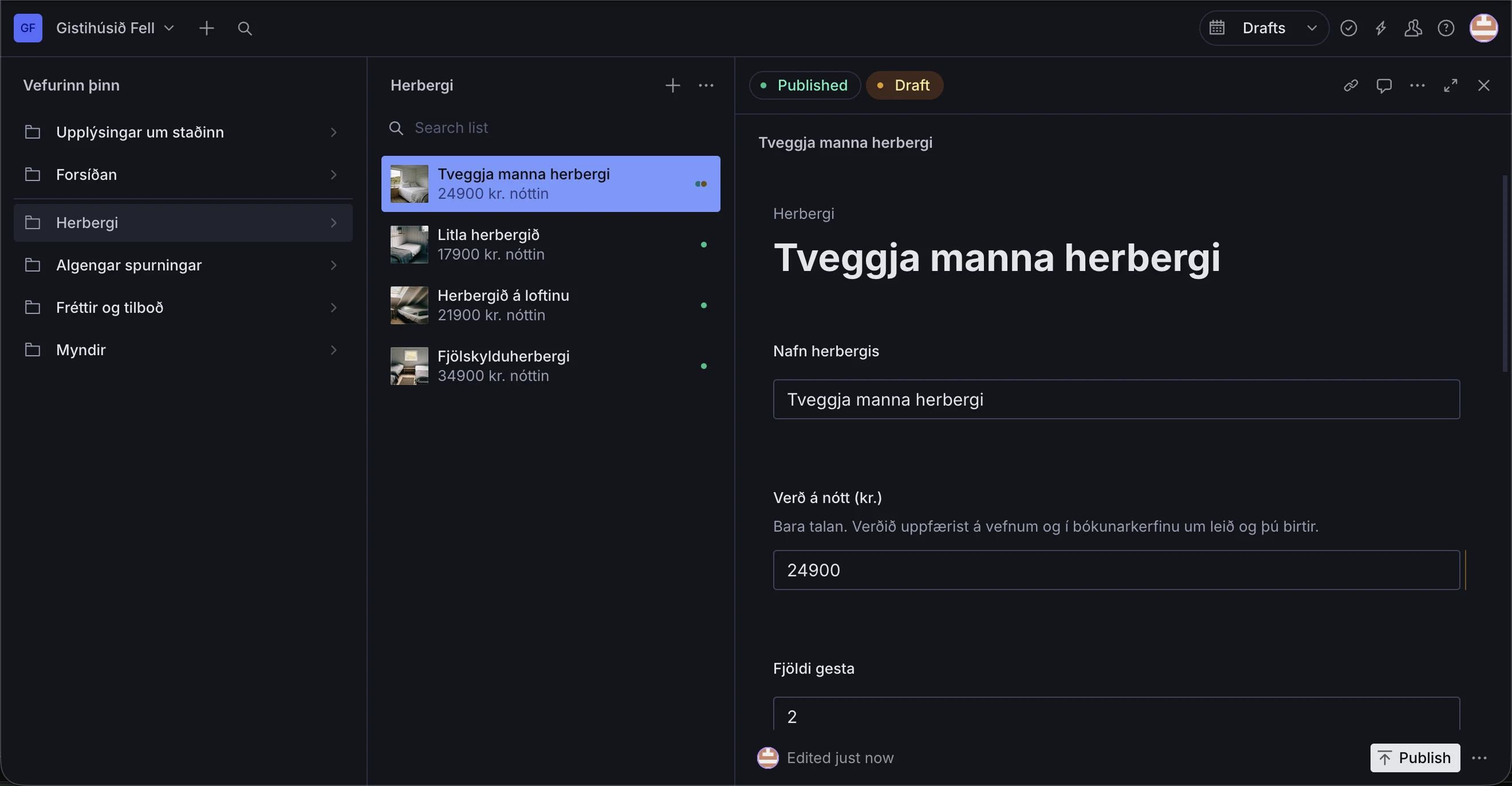
Here the price is changed to 24.900. The badge turns orange, the field is marked, and the Publish button becomes active. The live site still shows the old price, and you can still cancel.
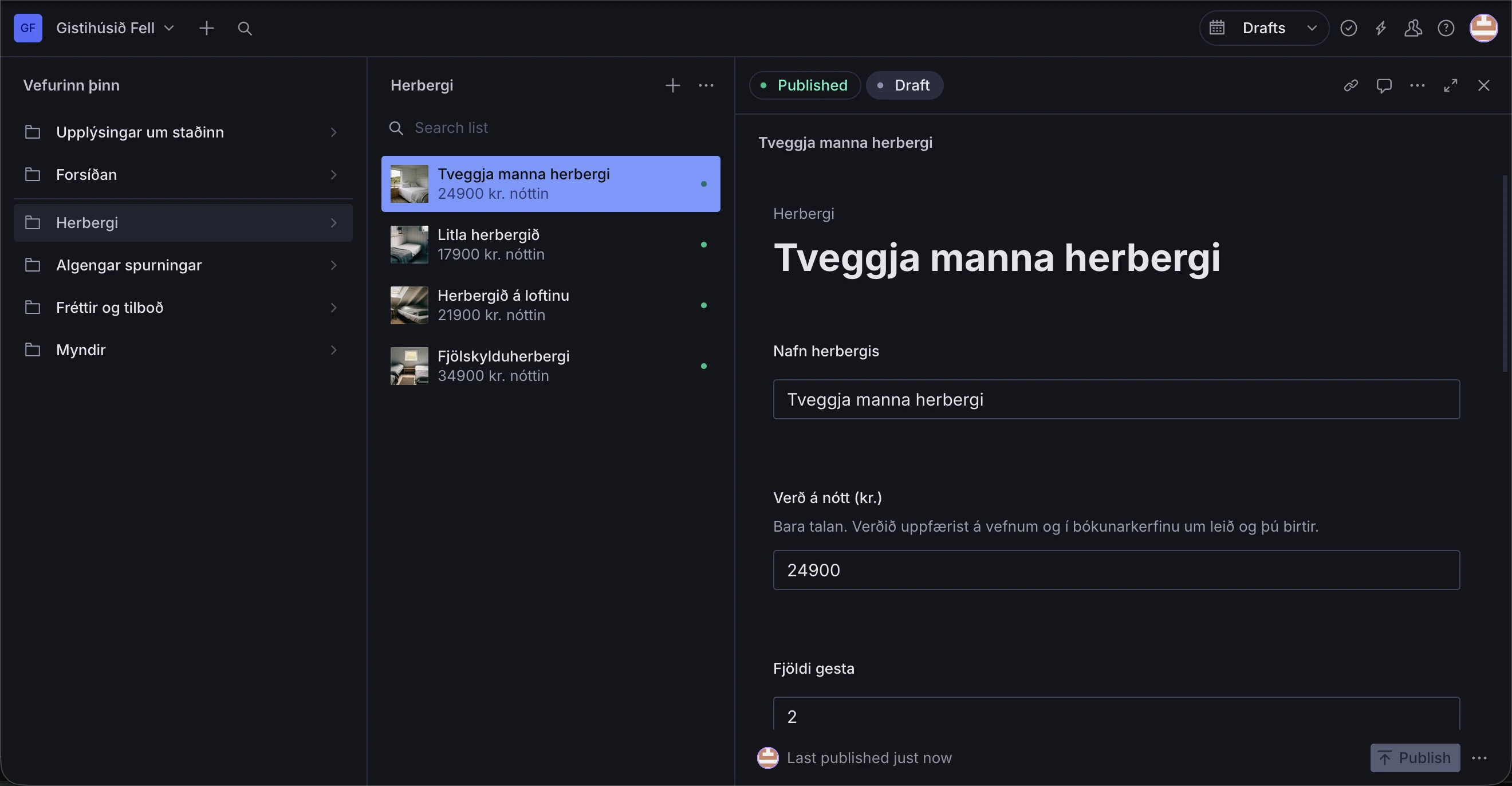
The badge turns green and the editor records the publication time. The website picks up the updated content; the time it takes to appear depends on the setup and caching.
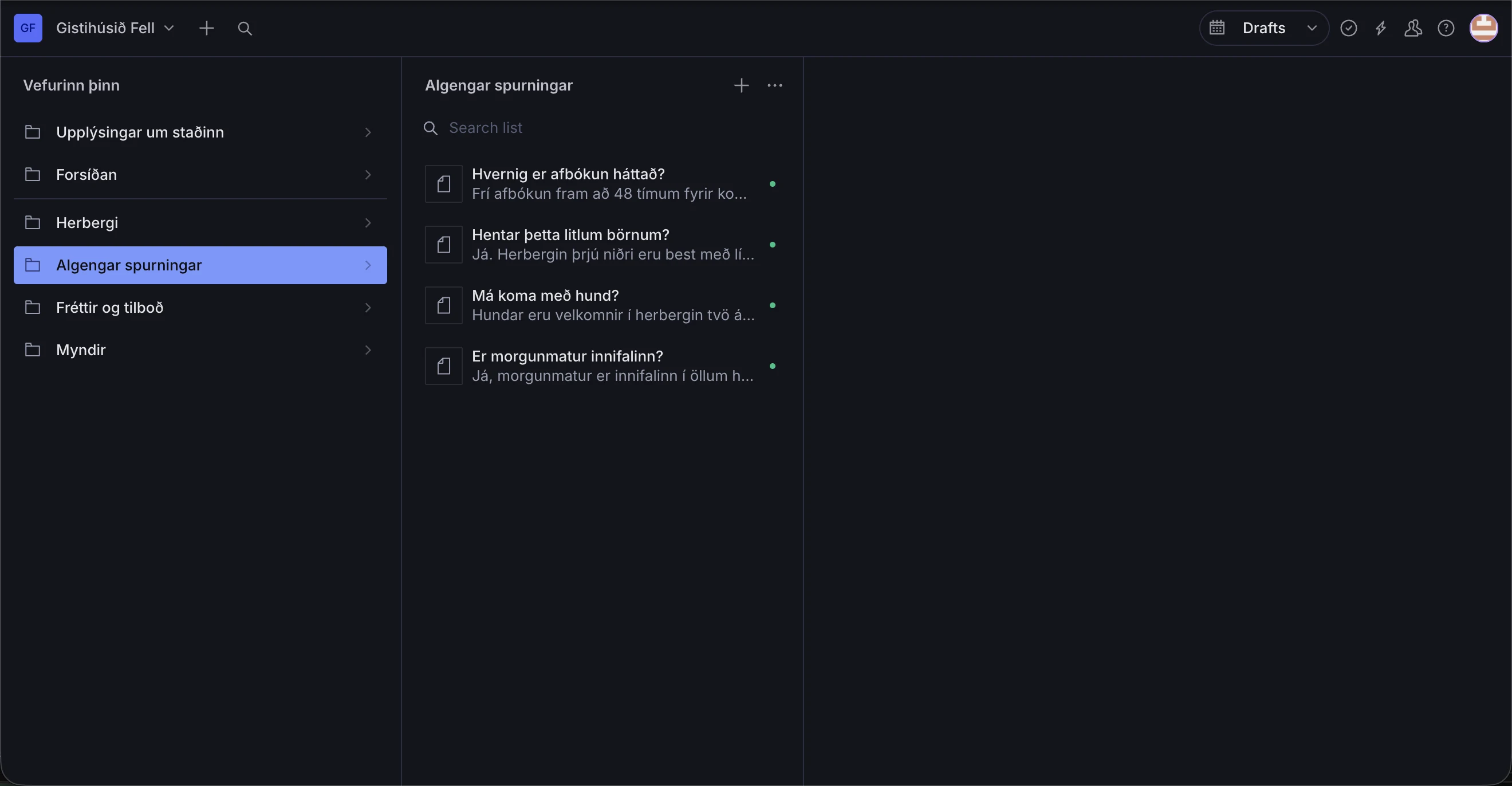
Questions, news and offers all work the same way: you add an entry, write in it and publish. If you also have the assistant, it reads these same questions, so you answer in one place instead of two.
cat limits.txt
You control the content. I look after the design and the technical setup, so everyday updates stay simple.
yours
mine
cat language.txt
Content fields and help text are labelled in Icelandic. Some Sanity controls are in English, including Publish and Upload. We go through them at handover and you practise updating your own site.
cat training.txt
I show you the tools you will use and remain available when questions come up.
01walkthrough()
I show you the system on your own site with your own content, and you make the first change yourself while I am still on the line.
02after()
If something is unclear three months later, I answer it. That is included, not billed by the hour.
03orNot()
You can also send the changes to me. We check what your plan includes and agree a price for larger work before it starts.
I can give you a login to this same sample so you can try it out without breaking anything.